> ## Documentation Index
> Fetch the complete documentation index at: https://artie.com/docs/llms.txt
> Use this file to discover all available pages before exploring further.
# Supabase PostgreSQL Source: Setup and Configuration
> Connect Supabase PostgreSQL as a source in Artie with IPv4 setup, credential configuration, service account creation, and logical replication publishing.
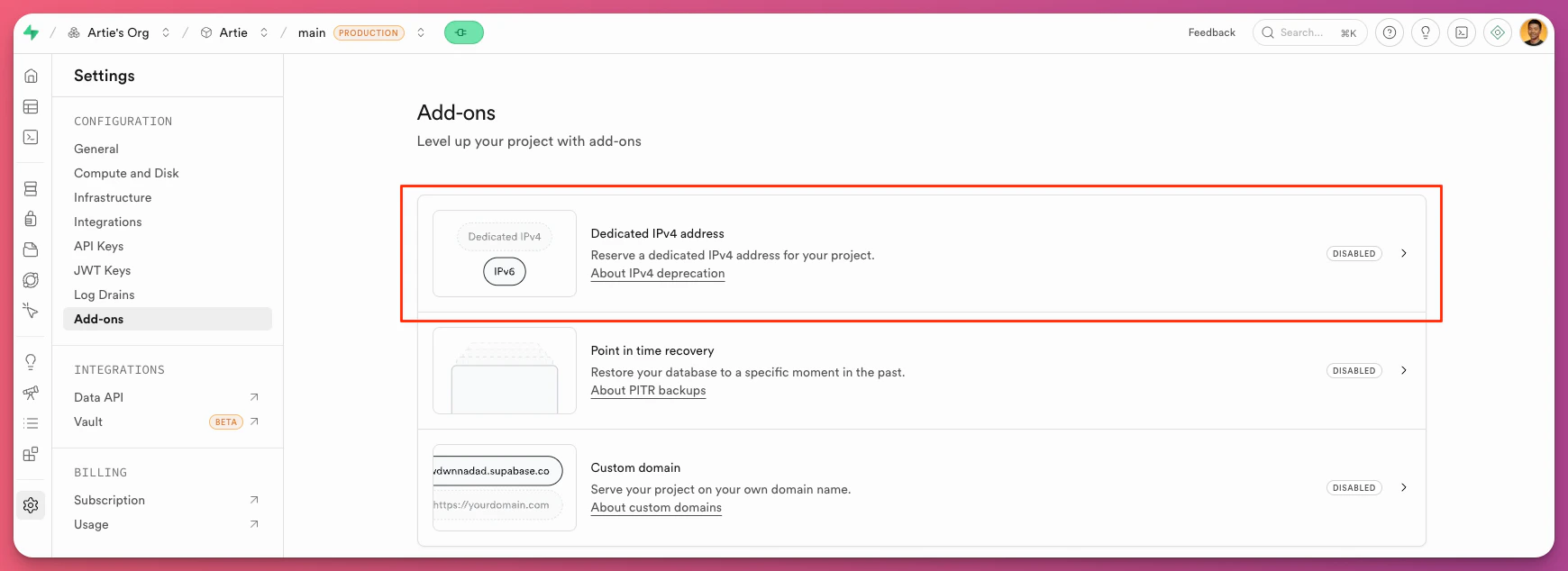
## Enable IPv4 address
To do this:
Go to your project settings in Supabase
Click on Add Ons
Enable Dedicated IPv4 address
 ## Supabase connection string
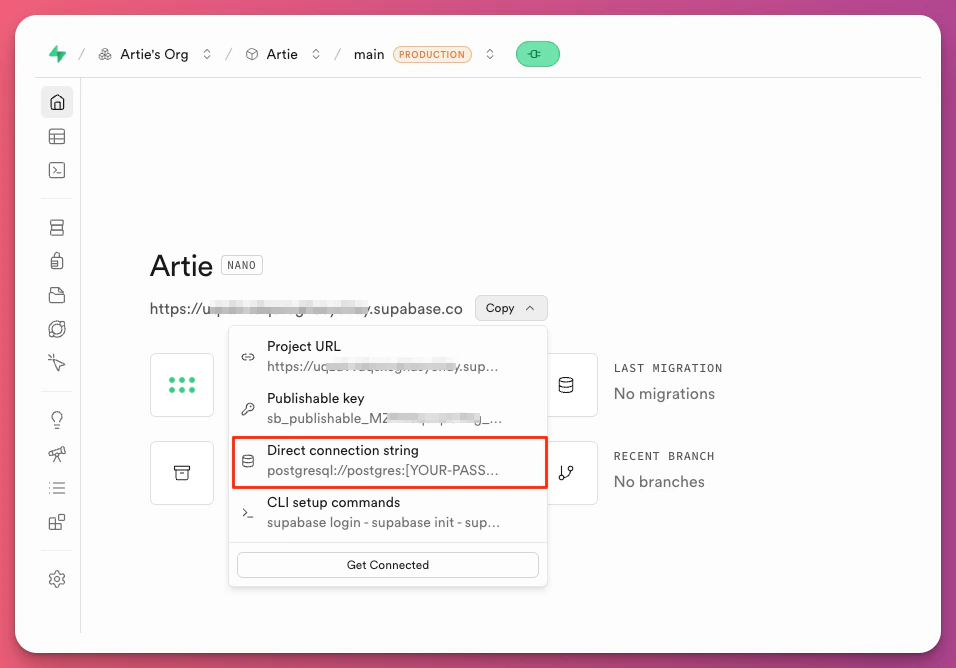
For logical replication to work, we'll need a direct connection to the database without the connection pooler.
To find your connection string, go to your connection page and click "Direct connection string".
## Supabase connection string
For logical replication to work, we'll need a direct connection to the database without the connection pooler.
To find your connection string, go to your connection page and click "Direct connection string".
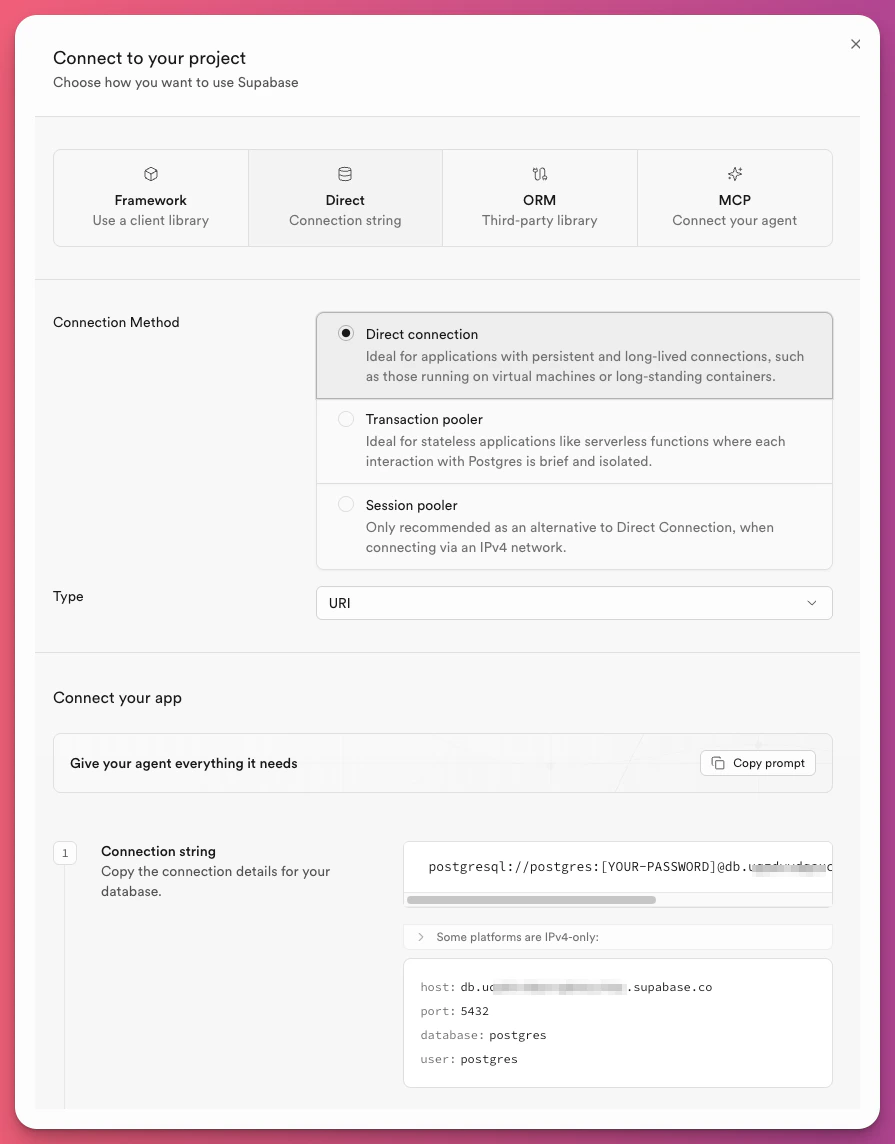
If that's configured to be your default setting, click "Get connected" to get an expanded view, then make sure it's configured for a "Direct connection".
 ## To create a service account, run this in Supabase:
```sql setup.sql theme={null}
CREATE USER artie_transfer WITH PASSWORD 'password';
-- Grant replication permissions
ALTER USER artie_transfer REPLICATION;
-- Grant access to existing tables
GRANT SELECT ON ALL TABLES IN SCHEMA public TO artie_transfer;
-- Grant read-only access to future tables
ALTER DEFAULT PRIVILEGES IN SCHEMA public GRANT SELECT ON TABLES TO artie_transfer;
CREATE PUBLICATION dbz_publication FOR ALL TABLES WITH (publish_via_partition_root = true);
```
## To create a service account, run this in Supabase:
```sql setup.sql theme={null}
CREATE USER artie_transfer WITH PASSWORD 'password';
-- Grant replication permissions
ALTER USER artie_transfer REPLICATION;
-- Grant access to existing tables
GRANT SELECT ON ALL TABLES IN SCHEMA public TO artie_transfer;
-- Grant read-only access to future tables
ALTER DEFAULT PRIVILEGES IN SCHEMA public GRANT SELECT ON TABLES TO artie_transfer;
CREATE PUBLICATION dbz_publication FOR ALL TABLES WITH (publish_via_partition_root = true);
```