> ## Documentation Index
> Fetch the complete documentation index at: https://artie.com/docs/llms.txt
> Use this file to discover all available pages before exploring further.
# Column inclusion and exclusion
> Learn how column inclusion and exclusion works in Artie.
## Overview
| Feature | Description |
| ---------------- | ------------------------------------------------- |
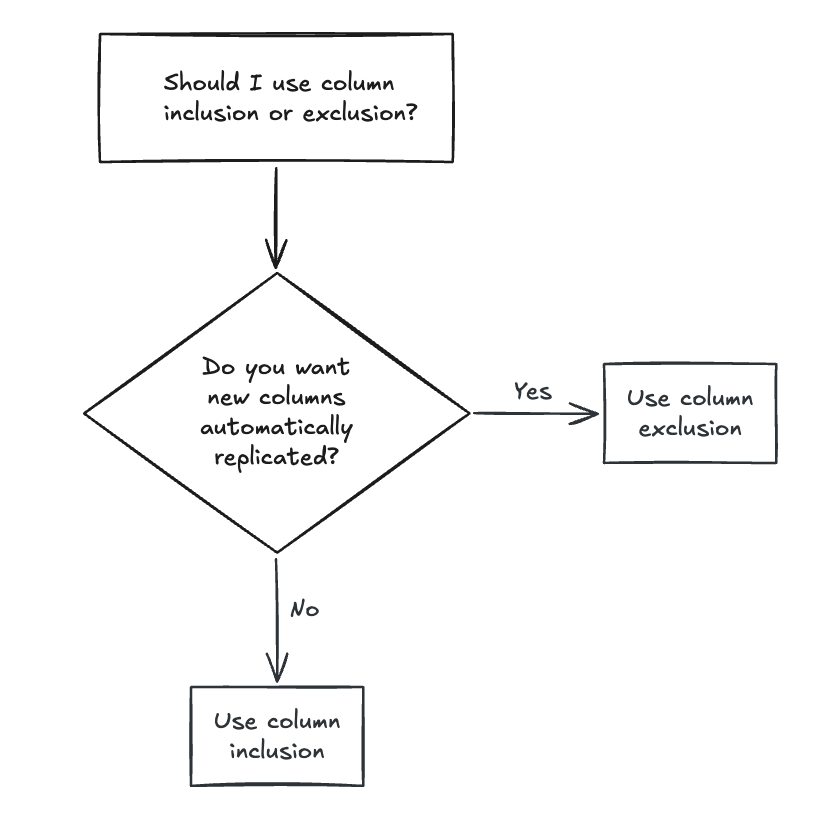
| Column Inclusion | Replicate only the columns you specify |
| Column Exclusion | Replicate all columns except the ones you exclude |
 ## Advanced use case: One source to multiple destinations
Artie allows you to replicate data from a single source reader to multiple pipeline tables. To do this, you can do it through our [Terraform provider](https://registry.terraform.io/providers/artie-labs/artie/latest).
**Architecture**
```mermaid theme={null}
graph LR
A[Source Reader] --> C[Pipeline Table 1]
A[Source Reader] --> D[Pipeline Table 2]
```
Each pipeline table will have its own Kafka consumer group and we can specify additional column inclusion and exclusion for each pipeline table.
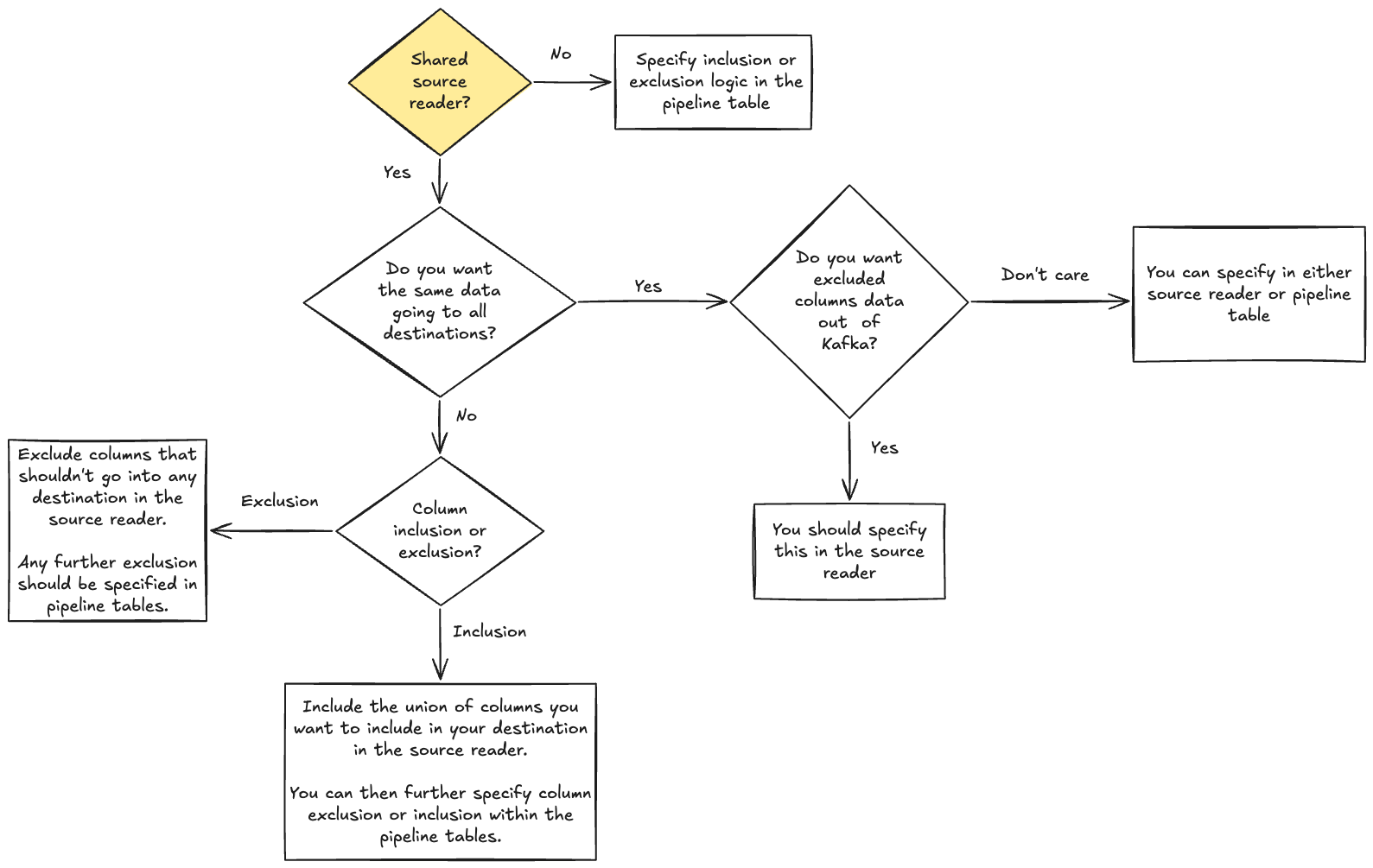
You can specify column inclusion and exclusion at the source reader and pipeline table level, please see the diagram below for guidance on where to set the column settings.
## Advanced use case: One source to multiple destinations
Artie allows you to replicate data from a single source reader to multiple pipeline tables. To do this, you can do it through our [Terraform provider](https://registry.terraform.io/providers/artie-labs/artie/latest).
**Architecture**
```mermaid theme={null}
graph LR
A[Source Reader] --> C[Pipeline Table 1]
A[Source Reader] --> D[Pipeline Table 2]
```
Each pipeline table will have its own Kafka consumer group and we can specify additional column inclusion and exclusion for each pipeline table.
You can specify column inclusion and exclusion at the source reader and pipeline table level, please see the diagram below for guidance on where to set the column settings.